Bank Melli customers who live abroad usually run into access problems with simple tasks such as checking a balance, transferring funds or paying a bill. The internet banking site does not load, or the mobile banking app (for example BAM) shows an error after login. This article explains the cause and shows a simple way to fix it.
Where does the problem come from?
To stay secure, bank servers restrict requests from addresses outside Iran. If you connect through the internet of the country you live in, the bank sees you as a foreign user. As a result, the page either does not open at all or the login is cut halfway. It is not a fault of your phone or your internet.
Steps to log in with an Iranian IP
- Get a reliable Iranian IP service. If you want to try first, the test version is enough.
- Install the app on your device: Android, iPhone or Windows.
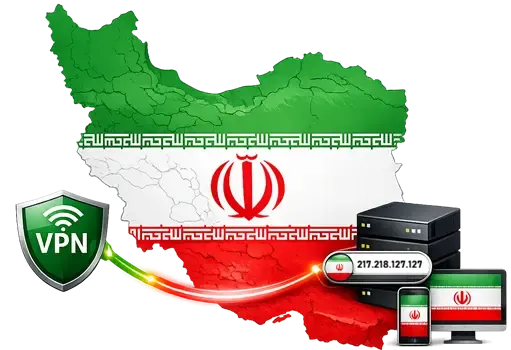
- Connect to an Iranian server and check your IP.
- Open the official Bank Melli app or the internet banking site.
- Log in with your user details and carry out your banking.
- When you are done, log out and disconnect.
Two-step login and one-time password
Many banking operations need a second password or a confirmation code. If the Iranian SMS does not reach you, you have several options:
- Keep your Iranian SIM card with active roaming (guide)
- Use the dynamic password inside the bank app itself, if available
- Forward SMS to email while following the safety tips (guide)
More details are in the article on receiving a dynamic password from abroad.
Common errors and fixes
The page does not open
Make sure the connection to the Iranian IP is active. Try another server and reload the page.
Certificate or SSL error
This is usually related to the device clock, an old browser or the network. Read the guide to fixing the bank SSL error.
The app closes without a message
Update the app, clear its cache and log in again. If it continues, contact the official bank support.
A few security recommendations
- Use only the official bank app and address.
- Do not enter your password or card number in links sent by SMS or social networks.
- Do not share banking information with anyone, even people who introduce themselves as bank staff.
- Do not use public Wi-Fi for banking.
- For more about the security of services, read our security tips and the explanation of the no-log policy.
Frequently asked questions
What happens if I do not have an Iranian IP?
Access may work or may drop. For important tasks such as transferring funds, it is better to have a stable connection.
Can I manage my account from abroad?
Yes for most online operations; however, some services may need you to be present or have special conditions. Ask the bank.
Can I pay bills the same way?
Yes, see the guide to paying bills from abroad.
What about other banks?
The principles are the same; see Bank Mellat and Bank Saderat.